


Daily Planner, To Do List
4.61.80K Reviews
App Specs
- Version
- 98.0
- Updated On
- License
- Free
- Downloads
- 1,000,000+
- Developer
- Simple Productivity Apps
- Categories
- Productivity
- Platform
- Android, iOS
Screenshots
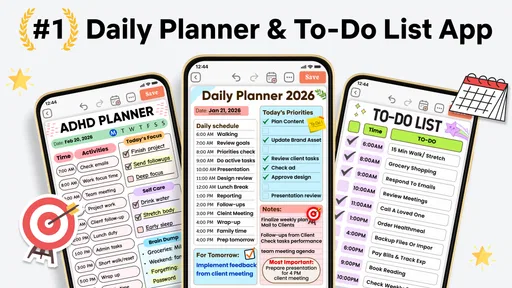
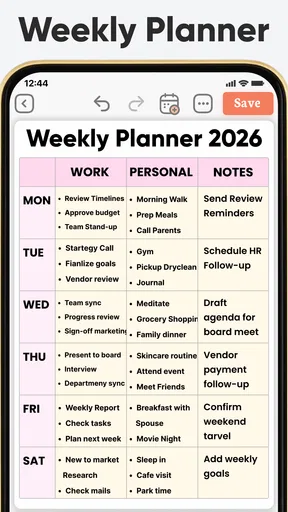
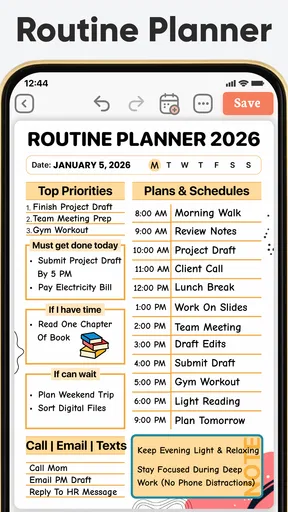
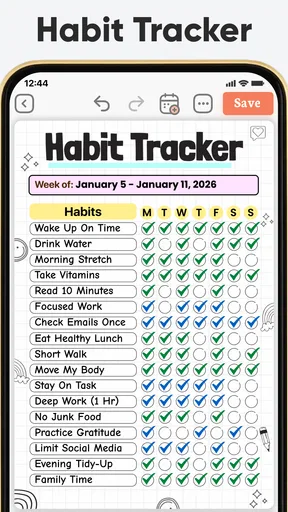
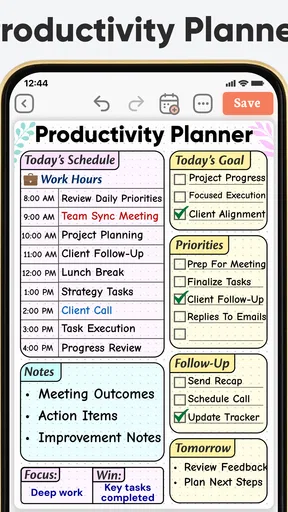
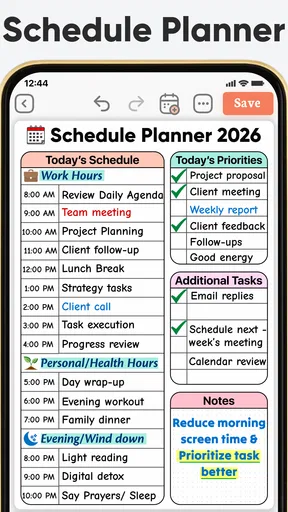
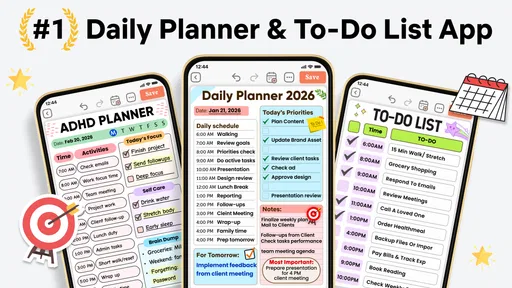
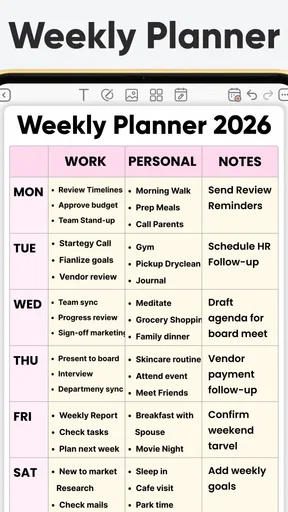
 Analysis by AppCompare
I tend to trust a planner more once I know what it can realistically do for an ordinary day, rather than treating it as a magic fix for being busy. Daily Planner, To Do List is a productivity app from Simple Productivity Apps, aimed at bringing tasks, day planning and creative journal templates into one place. It is free to install, rated for Everyone, and has a 4.7 average from around 129,000 ratings, with more than a million installs. That gives it a sizeable audience, though the real question is whether its style suits the way you organize your own life.
Building a routine that holds up
I find a planner becomes genuinely useful when it helps me make a few clear choices, rather than encouraging me to track every thought. In this section, I focus on a repeatable routine for reviewing tasks, making room for the unexpected, and using journal prompts only when they add context. That foundation makes it easier to decide which settings and habits are worth keeping.
A practical baseline for the day
I get the most value from a planner when I use it to make decisions, not just collect reminders. A workable routine is to add obligations first, then choose a small number of tasks that genuinely need attention today. Anything less urgent can wait on the list instead of crowding the day’s plan. That simple separation helps keep a planner from becoming a long, colorful record of everything I have not done.
For example, on a weekday with a meeting, errands and a personal task, I would put the fixed commitment in its proper place, give the errands a realistic priority, and leave some room between them. A list that looks satisfyingly full can still be a poor plan if it assumes every task will go perfectly. The app’s task, deadline and priority options support this kind of planning, while visual labels can help me scan the list without rereading every line.
The journal-template side is useful for a different reason: it can give a day some context beyond a checklist. I would use a journal entry to note what is taking up mental space, then turn only the actionable parts into tasks. Keeping those two purposes distinct is a helpful habit. A journal is for reflection; a to-do list is for commitments. Mixing them freely may suit some people, but I find that separating them makes it easier to see what actually needs doing.
Settings worth checking before relying on reminders
Before I let notifications guide my day, I would review the reminder settings and make sure alerts fit my routine. A reminder that arrives while I am driving, in a meeting or trying to focus is easy to dismiss and eventually ignore. I prefer to give genuinely time-sensitive tasks a clear prompt and leave lower-priority items without a constant stream of nudges. The point is to make alerts meaningful, not to turn the phone into a second source of pressure.
The app offers customizable alerts, themes and layouts, so it is worth spending a little time choosing a setup that is easy to read at a glance. I would start with a calm layout and a small set of labels, then add more only when they solve a real sorting problem. Too many colors can make a list look lively but harder to interpret. A useful test is whether I can tell the difference between urgent, scheduled and optional work without stopping to decode my own system.
Worth Reading Before You Choose

EA SPORTS FC Mobile 26 Is a Bigger Football Game, but It Takes Time

Flipboard Shows What News Apps Must Do Beyond the Feed

Switching to Android Auto Means Rethinking Your Driving Routine

Google Calendar Makes a Crowded Week Easier to Manage

Ludo King Makes the Most of the Minutes Between Plans

Baby Panda World Brings Quick Play to Modern Phones, but Its Game Library Feels Busy
Daily planning often involves switching devices, and the app’s syncing can help keep tasks current across a phone, tablet or laptop. I would still make a quick check before relying on a task that has just been edited elsewhere, especially when the timing matters. Syncing is most valuable as a way to avoid maintaining separate lists, not as a reason to stop checking important plans. For shared tasks, I would also agree on who owns each action; sharing a list does not automatically settle responsibility.
Faster patterns for repeatable work
One useful way to work faster is to create a repeatable planning habit rather than trying to perfect the app’s setup. At the start of the day, review deadlines, choose priorities and move anything unrealistic out of the immediate plan. At the end, mark what is done and decide what deserves another slot. This quick review gives tomorrow a cleaner starting point and reduces the temptation to copy an overloaded list forward unchanged.
For recurring kinds of work, I would use consistent labels and task wording so related items are easy to recognize. “Prepare class materials” is more useful than a vague “school,” for instance, because it describes an action I can finish. If the same sort of task appears regularly, a stable naming pattern also makes it easier to scan past entries and notice what is still open. The trade-off is that extra organization takes time; if a label does not help me choose or find something, I would drop it.
There is also a practical way to use the creative side without letting it become another obligation. I might use a journal template for a short weekly check-in, then pull out just one or two next steps. That is more sustainable than trying to write a detailed reflection every day when I do not have the time or inclination. The best system here is the one I can keep using on an ordinary, imperfect week.
Where its approach may not fit
A combined planner, list and journal can feel convenient, but it is not automatically better than separate tools. If I need a highly specialized calendar workflow, a robust project board or a workplace system with tightly controlled team processes, I would compare those dedicated options before moving everything here. This app’s appeal is having several everyday planning needs close together; that is different from being the best fit for every complex workflow.
Likewise, people who want the barest possible checklist may find the additional customization unnecessary. Themes, labels and journal templates are useful only if they make planning clearer or more pleasant. Someone who already has a simple routine that works may not gain much by transferring every note and reminder. I would try a small, low-stakes week first rather than spending an afternoon rebuilding an entire life-management system.
It is also worth keeping the cost in view. The app is free to start, with in-app purchases ranging from $3.99 to $99.99 per item, so I would check what a paid option includes before committing to it. The current version is 80.0 and it requires Android 8.0 or later. Those details matter if you are using an older device or deciding whether an optional purchase is worthwhile, but they do not change the more important question: does the everyday workflow help you follow through?
Getting Started with Daily Planner
First things first, downloading Daily Planner, To Do List from your app store of choice is a breeze. Once installed, you're greeted with a clean, intuitive interface that doesn't require a PhD to navigate. The setup process is straightforward, letting you jump right into the good stuff—planning your day!
Features That Stand Out
What sets this app apart in a sea of productivity tools are its nifty features. You can easily create tasks, set deadlines, and even organize tasks by priority. The colorful labels add a dash of fun to your to-do list, making it a visual treat.
One feature I particularly love is the ability to sync across devices. Whether you're on your phone, tablet, or laptop, your tasks are always updated. It's like having a personal assistant who never forgets. Oh, and did I mention the notifications? They're a gentle nudge, reminding you of upcoming tasks without being obnoxious.
Customization Galore
If you're anything like me, you enjoy personalizing your digital tools. Daily Planner lets you do just that with its customizable themes and layouts. Whether you're feeling a minimalist vibe or something a bit more vibrant, there's a theme for every mood.
You can also customize alerts and reminders, so they suit your lifestyle. Prefer a subtle chime or a more assertive buzz? The choice is yours. It's all about making the app work for you, not the other way around.
Seamless Integration
In an era where connectivity is key, this app does not disappoint. It integrates smoothly with calendars and other productivity apps, ensuring all your plans are in sync. No more double booking or last-minute chaos!
You can also share tasks with friends or colleagues, making it perfect for team projects or coordinating family events. It's like having a group chat but for productivity.
Why You'll Love It
So, why should you give Daily Planner, To Do List a shot? For starters, it's user-friendly and packed with features that genuinely make organizing your life easier. The seamless syncing, customizable options, and integration capabilities make it a solid choice for anyone looking to boost productivity.
Whether you're a student, a busy professional, or just someone who loves staying organized, this app offers a little something for everyone. It's like having a personal assistant who doesn't mind doing the heavy lifting.
Final Thoughts
Wrapping it up, Daily Planner, To Do List is a powerhouse of productivity packed into a sleek, user-friendly interface. Its blend of features, customization, and integration makes it a standout tool for anyone looking to conquer their to-do list.
So, if you're ready to take control of your day and make productivity your new best friend, give this app a download. Who knows? You might just find that getting things done isn't as daunting as it seems.
Pros
- User-friendly interface for quick navigation.
- Customizable task categories enhance organization.
- Syncs seamlessly across multiple devices.
- Includes reminders to keep you on track.
- Offers a dark mode for battery saving.
Cons
- Limited free version features.
- No integration with some calendars.
- Occasional sync delays reported.
- Ads in free version can be intrusive.
- Some users find notifications unreliable.
FAQs for Daily Planner, To Do List
Is the Daily Planner, To Do List app free to use?
Yes, the Daily Planner, To Do List app offers a free version that includes basic features suitable for everyday use. However, it also offers a premium version with additional features such as advanced reminders, custom themes, and collaboration tools. Users can choose the version that best fits their needs.
Can I sync the Daily Planner, To Do List app across multiple devices?
Absolutely! The app supports synchronization across multiple devices. Whether you are using an Android or iOS device, you can seamlessly sync your tasks and notes. This feature ensures that your schedule and to-do lists are always up-to-date, no matter where you are.
How secure is my data on the Daily Planner, To Do List app?
The app prioritizes user data security by implementing robust encryption methods for data storage and transfer. It also allows users to set up password protection and biometric authentication for an extra layer of security. Regular updates ensure that the app remains safeguarded against potential security threats.
Does the app support integrations with other tools?
Yes, the Daily Planner, To Do List app supports integrations with popular productivity tools such as Google Calendar, Microsoft Outlook, and Evernote. This allows users to streamline their workflow by importing events and tasks from these platforms directly into the app for a more unified experience.
What kind of customer support is available for the app?
Users have access to comprehensive customer support, including a detailed FAQ section, email support, and live chat during business hours. Premium users can also benefit from prioritized support with faster response times. Additionally, the app offers tutorial videos to help users navigate its features effectively.


